Quanta RAM a sua biblioteca de samples realmente pedeHow much RAM your sample library actually needs
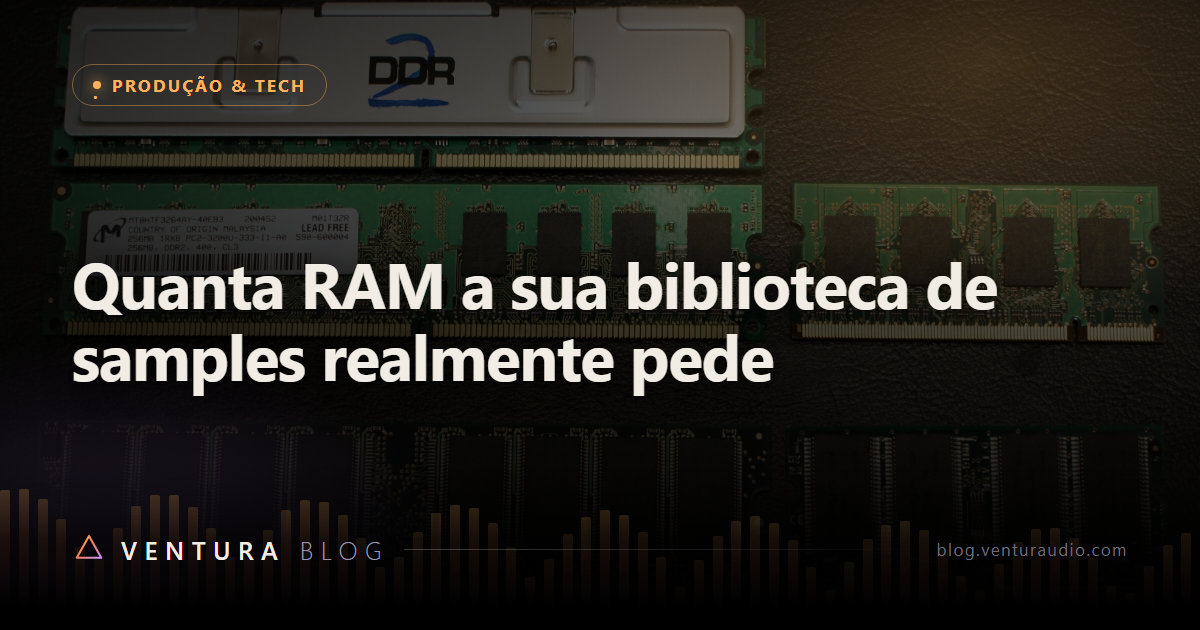
Foto: KB Alpha · CC BY
Quem instala uma biblioteca orquestral grande pela primeira vez costuma passar por um susto: a pasta ocupa centenas de gigabytes, e a máquina tem trinta e dois. A conta parece impossível, e a conclusão apressada é que falta memória.
Falta menos do que parece. E a razão está numa peça de engenharia que roda em silêncio desde os anos 2000.
O sampler não carrega o sample inteiro
A técnica se chama streaming de disco, e ela existe justamente porque a conta acima nunca fechou.
Quando você abre um patch, o sampler não puxa os arquivos inteiros pra memória. Ele carrega apenas o começo de cada amostra, alguns milissegundos, e mantém esse pedacinho pronto na RAM. Isso é o preload buffer.
Quando você toca a nota, o pedaço que já estava na memória começa a soar imediatamente, sem esperar o disco. Enquanto ele soa, o sampler vai lendo o resto do arquivo direto do disco, em tempo real, e emendando. O ouvinte não percebe a costura.
A consequência prática é a que interessa:
O tamanho da biblioteca no disco não determina a memória necessária. Uma biblioteca de 900 GB e uma de 90 GB podem consumir exatamente a mesma RAM, se você carregar a mesma quantidade de patches.
O que determina, então
Três coisas, e nenhuma delas é o tamanho da pasta.
Quantos patches estão carregados. Cada instrumento aberto reserva o preload dele. Um template com 200 instrumentos carregados consome muito mais que uma sessão com oito, mesmo que os dois venham da mesma biblioteca.
Quantas amostras tem cada patch. Aqui mora a diferença que pega as pessoas de surpresa. Um piano com muitas camadas de dinâmica, várias posições de microfone e round robin tem milhares de arquivos individuais. Cada arquivo tem o seu preload. Um pad sintético do mesmo tamanho em disco pode ter vinte arquivos. Mesmos gigabytes, consumo de memória completamente diferente.
Posição de microfone é o multiplicador mais brutal. Carregar close, overhead e room de uma seção de cordas triplica a contagem de amostras ativas, e triplica o preload. Boa parte das sessões pesadas fica leve simplesmente descarregando os microfones que não serão usados na mixagem.
O tamanho do preload buffer. É ajustável. Aumentar exige mais RAM e alivia o disco. Diminuir libera RAM e exige mais do disco. É uma troca direta entre os dois, e o valor padrão costuma ser conservador porque foi calibrado numa época de discos mecânicos.
Números pra se orientar
Não existe resposta única, mas existem faixas que funcionam na prática:
- 16 GB dá conta de compor e produzir com instrumentos carregados sob demanda, abrindo e fechando conforme a música pede. Aperta em template grande.
- 32 GB é o ponto confortável pra maioria. Cabe um template de trabalho decente, com cordas, madeiras, metais e percussão, sem ficar vigiando o medidor.
- 64 GB ou mais faz sentido quando o seu método é template gigante permanentemente aberto, com várias posições de microfone, ou quando você trabalha com bibliotecas de cinema em sessões longas.
Uma coisa importa mais que qualquer uma dessas faixas: nunca deixe estourar. No instante em que o sistema começa a usar arquivo de paginação no disco pra compensar a falta de memória, a sessão passa de lenta a inutilizável. Não é uma degradação suave, é um paredão. Ficar com folga de alguns gigabytes vale mais que qualquer otimização fina.
O botão que a maioria ignora
Quase todo sampler grande tem uma função de descartar as amostras não usadas, geralmente chamada de purge.
O fluxo é simples: você carrega o template inteiro, toca a música do começo ao fim uma vez, e manda descartar tudo que não foi tocado. O sampler libera da memória cada amostra que a música não pediu. Em arranjos que usam pouco de cada instrumento, e isso é a maioria dos arranjos, a economia costuma ser enorme.
É a diferença entre dimensionar a máquina pelo que a biblioteca pode tocar e dimensionar pelo que a sua música toca.
Velocidade de memória importa?
Muito menos do que vendem. Pra streaming de sample, o que conta é capacidade, porque o gargalo é ter espaço pro preload, não a rapidez de acesso.
Entre gastar num kit de memória mais rápido e gastar em mais gigabytes pelo mesmo dinheiro, mais gigabytes ganha praticamente sempre nesse tipo de trabalho. A exceção é síntese pesada em tempo real, que é outro assunto.
O resumo honesto
Se a sua sessão trava, olhe primeiro quantos patches estão abertos e quantas posições de microfone estão ativas. Depois experimente o purge. Depois ajuste o preload. Só então pense em comprar memória.
Muita gente compra 64 GB pra resolver um problema que era três microfones carregados sem necessidade.
Installing a large orchestral library for the first time usually comes with a shock: the folder takes hundreds of gigabytes, and the machine has thirty two. The math looks impossible, and the quick conclusion is that memory is missing.
Less is missing than it seems. The reason sits in a piece of engineering that has been running quietly since the early 2000s.
The sampler does not load the whole sample
The technique is called disk streaming, and it exists precisely because that math never worked.
When you open a patch, the sampler does not pull entire files into memory. It loads only the beginning of each sample, a few milliseconds, and keeps that small piece ready in RAM. That is the preload buffer.
When you play the note, the piece already in memory starts sounding immediately, with no wait for the disk. While it sounds, the sampler reads the rest of the file straight from disk, in real time, and splices it on. The listener never hears the seam.
The practical consequence is the one that matters:
Library size on disk does not determine the memory you need. A 900 GB library and a 90 GB library can consume exactly the same RAM, if you load the same number of patches.
So what does determine it
Three things, and none of them is the folder size.
How many patches are loaded. Every open instrument reserves its own preload. A template with 200 loaded instruments consumes far more than a session with eight, even from the same library.
How many samples each patch holds. This is where people get caught. A piano with many dynamic layers, several microphone positions and round robin has thousands of individual files. Each file has its own preload. A synth pad of the same size on disk might have twenty files. Same gigabytes, completely different memory use.
Microphone position is the most brutal multiplier. Loading close, overhead and room for a string section triples the active sample count, and triples the preload. Plenty of heavy sessions become light simply by unloading the mics that will never reach the mix.
Preload buffer size. It is adjustable. Raising it demands more RAM and eases the disk. Lowering it frees RAM and demands more from the disk. A direct trade between the two, and the default is usually conservative because it was calibrated in the era of spinning drives.
Numbers to orient yourself
There is no single answer, but there are ranges that hold up in practice:
- 16 GB handles writing and producing with instruments loaded on demand, opening and closing as the music asks. It gets tight on a big template.
- 32 GB is the comfortable point for most people. A decent working template fits, with strings, woodwinds, brass and percussion, without watching the meter.
- 64 GB or more makes sense when your method is a permanently open giant template with multiple mic positions, or when you work on film libraries across long sessions.
One thing matters more than any of those ranges: never let it overflow. The moment the system starts using the page file on disk to cover missing memory, the session goes from slow to unusable. It is not a gentle slope, it is a wall. Keeping a few gigabytes of headroom is worth more than any fine tuning.
The button most people ignore
Nearly every large sampler has a function to discard unused samples, usually called purge.
The flow is simple: load the whole template, play the song start to finish once, then purge. The sampler frees every sample the music never asked for. In arrangements that use a little of each instrument, which is most arrangements, the saving is usually enormous.
It is the difference between sizing your machine for what the library can play and sizing it for what your song does play.
Does memory speed matter?
Far less than it is sold. For sample streaming, capacity is what counts, because the bottleneck is having room for the preload, not access speed.
Between spending on a faster memory kit and spending on more gigabytes for the same money, more gigabytes wins almost every time in this kind of work. The exception is heavy realtime synthesis, which is another subject.
The honest summary
If your session stalls, first look at how many patches are open and how many mic positions are active. Then try purge. Then adjust the preload. Only after that, think about buying memory.
Plenty of people buy 64 GB to solve a problem that was three microphones loaded for no reason.
Plugins que você enxergaPlugins you can see
Conheça o PRISMA e o catálogo Ventura Audio.Meet PRISMA and the Ventura Audio catalog.
IR PARA A LOJAGO TO STORE